

Alka wireless Apple CarPlay how-to for Egypt (SmartBox). Connect the device → open Wi‑Fi and Bluetooth → forget old Bluetooth → connect to SmartBox → enjoy. Shop: Alka Wireless Apple CarPlay Adapter.
-
Step 1: Connect the device
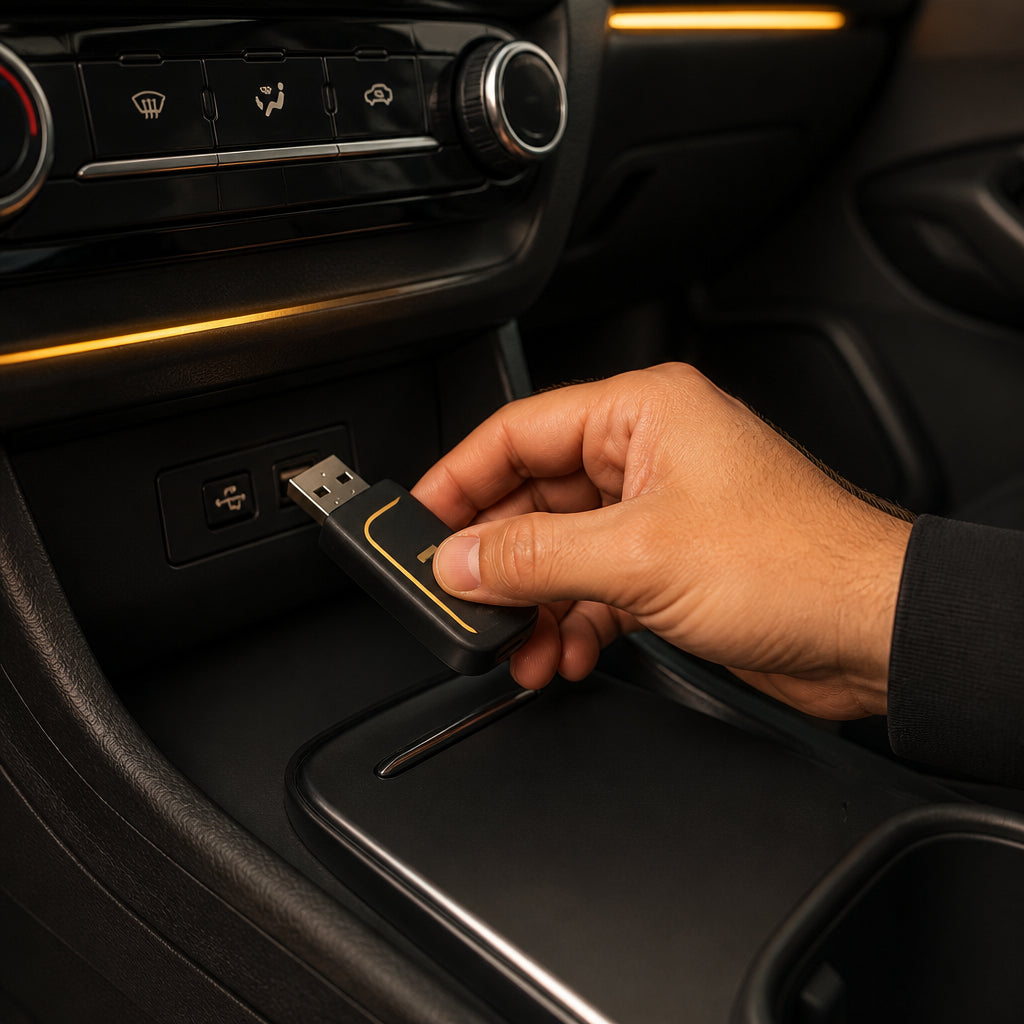
Plug your Alka Wireless Apple CarPlay adapter (SmartBox) into the car’s OEM USB port used for wired CarPlay or Android Auto — not a charge-only port.
-
Step 2: Open Wi‑Fi and Bluetooth
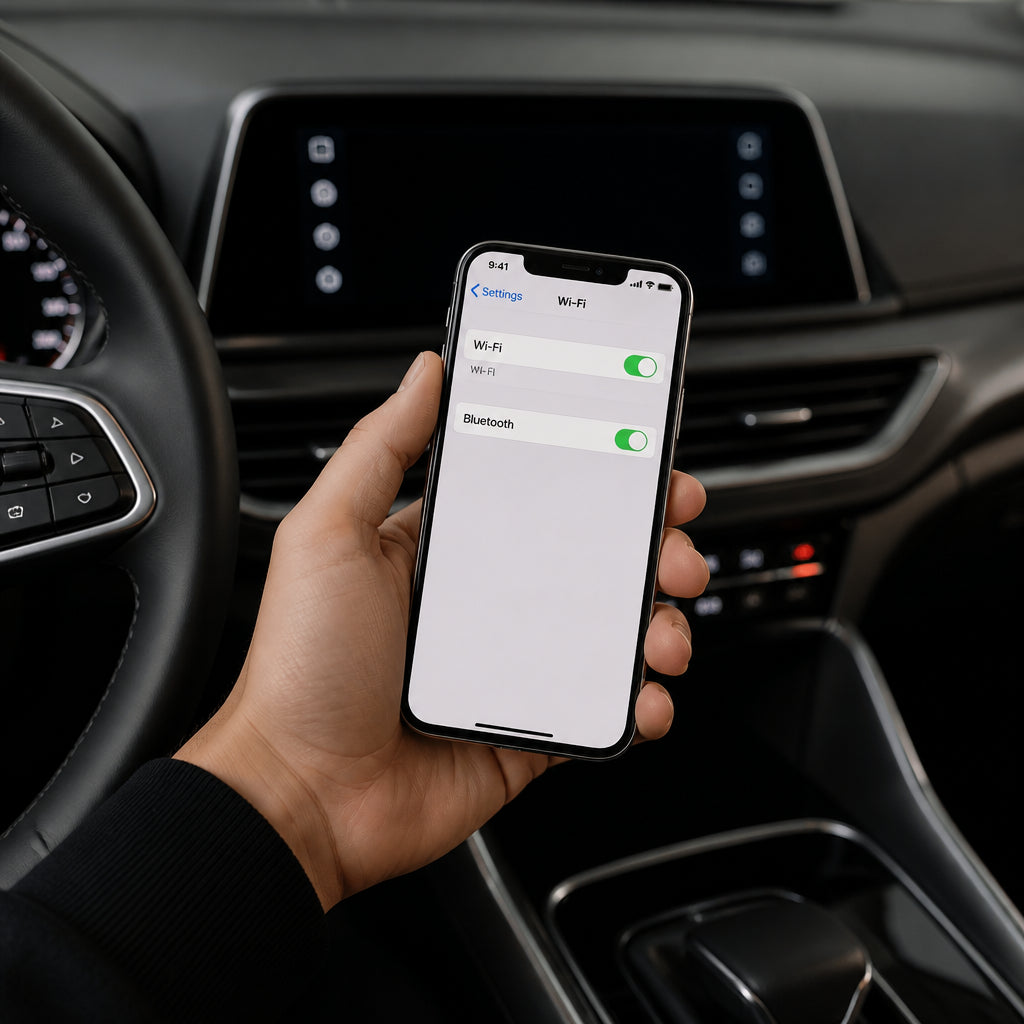
On your iPhone or Android phone, turn on Wi‑Fi and Bluetooth so the Alka SmartBox can pair and create a stable wireless CarPlay / Android Auto link.
-
Step 3: Forget the old Bluetooth connection
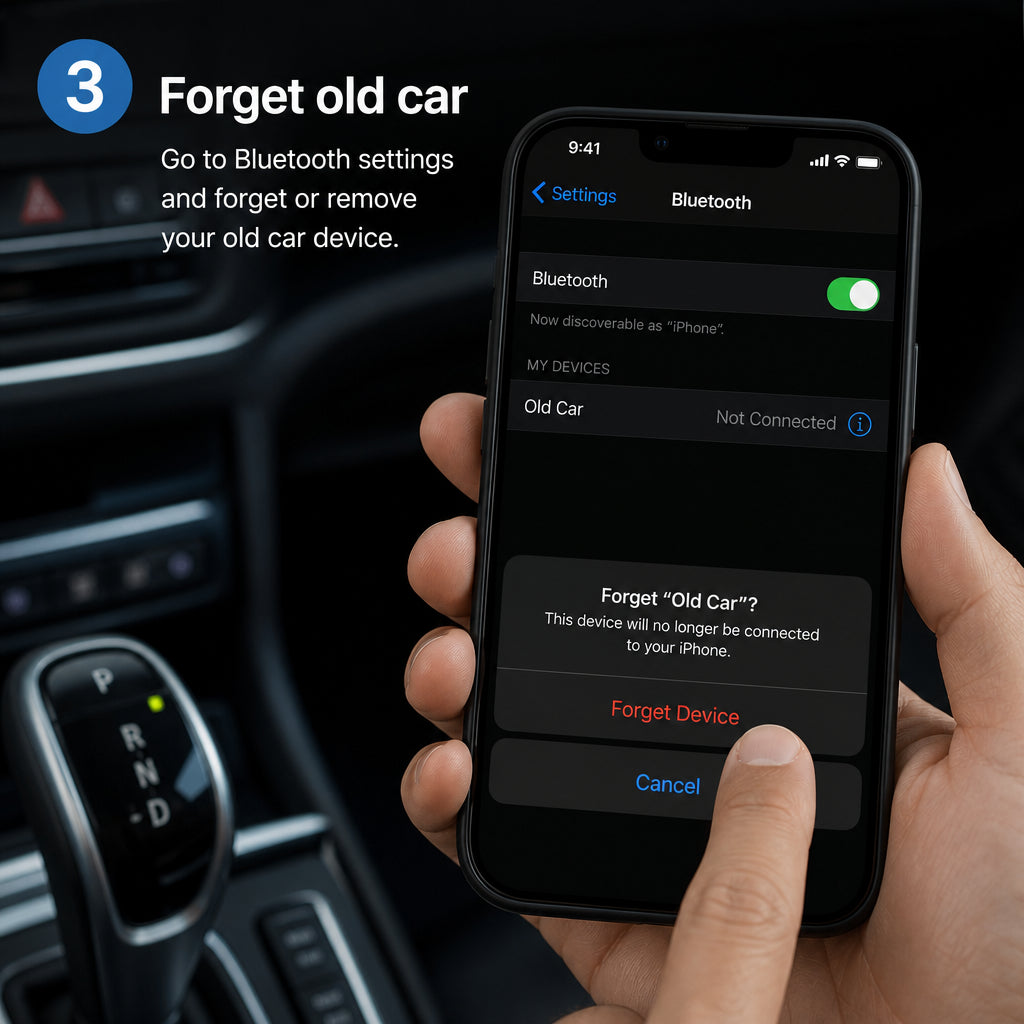
In phone Bluetooth settings, forget any previous car or adapter Bluetooth entries that conflict. This clears stale pairings before connecting to Alka SmartBox.
-
Step 4: Connect to SmartBox
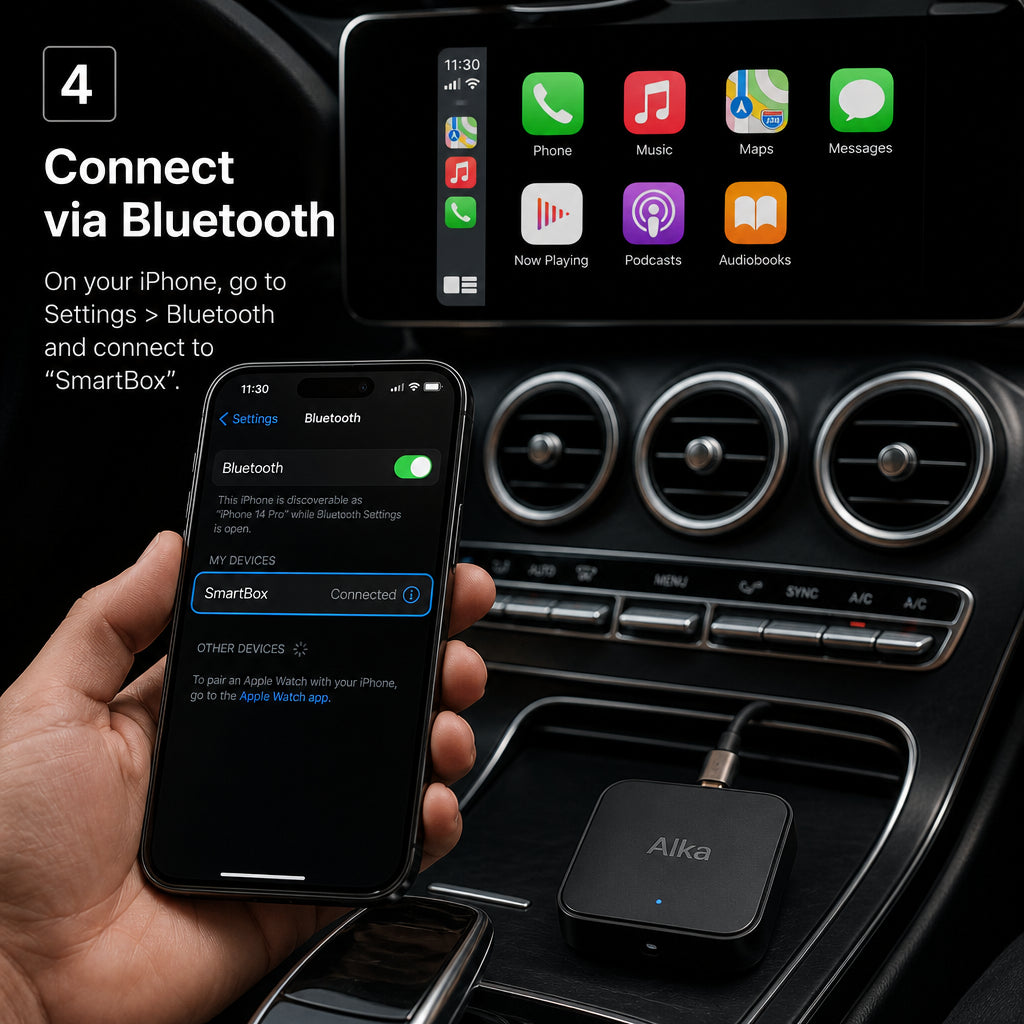
Select SmartBox (Alka adapter) from your Bluetooth / CarPlay prompts and allow permissions. Your car display should launch wireless Apple CarPlay or wireless Android Auto.
-
Step 5: Enjoy

Drive with wireless maps, calls, and music — no daily cable. Keep the Alka adapter plugged in for auto reconnect on future trips across Egypt.
More help: Compatibility · Contact · [email protected] · +201055332282