


Alka Wireless Apple CarPlay Adapter


Alka Wireless Apple CarPlay Adapter
Alka wireless Apple CarPlay — official Alka wireless Apple CarPlay adapter (SmartBox) for Egypt. Also supports wireless Android Auto.
Upgrade factory wired Apple CarPlay in minutes. Plug into your car’s OEM USB port, pair once, and enjoy maps, calls, and music without a cable.
- Wireless Apple CarPlay connectivity
- Wireless Android Auto support (2-in-1)
- Plug-and-play SmartBox setup
- 1-year warranty · Nationwide Egypt delivery
How to use
-
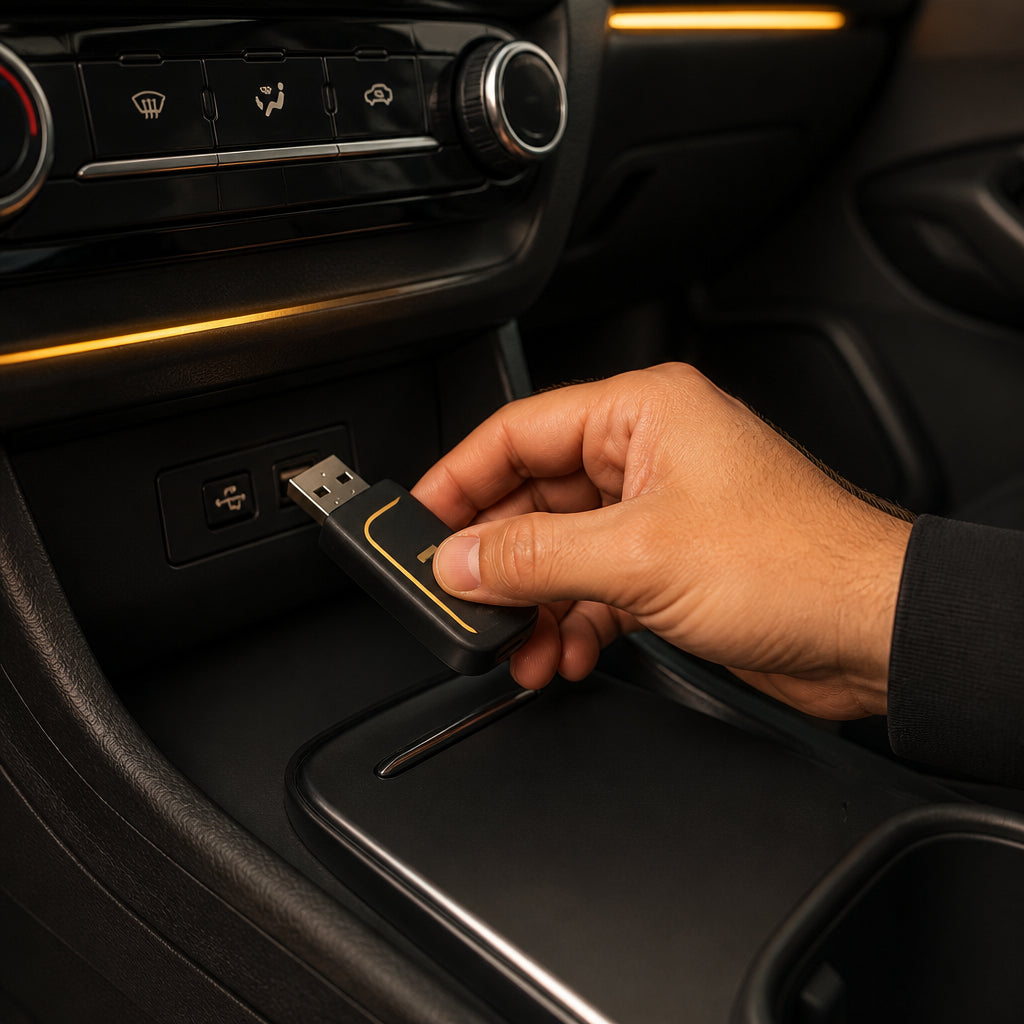
Connect the device — plug into the OEM CarPlay USB port.
-
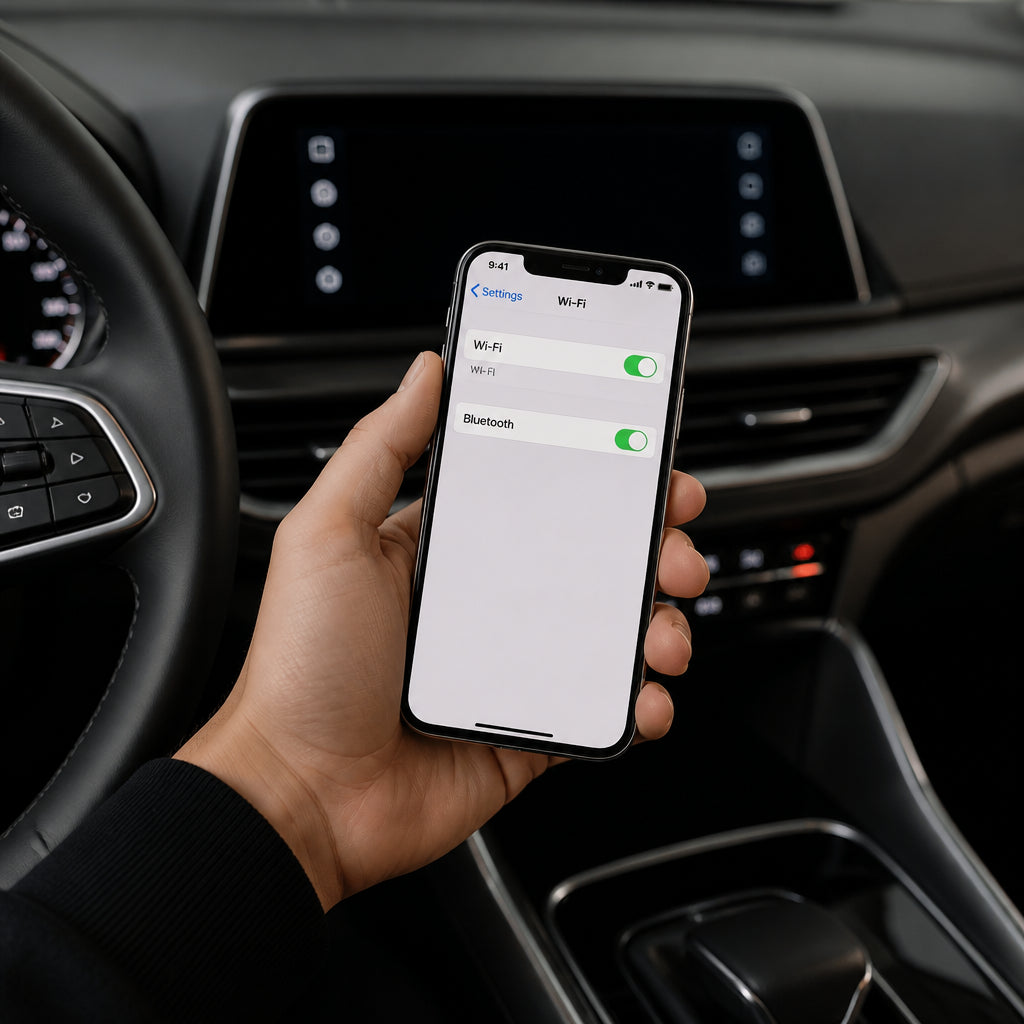
Open Wi‑Fi and Bluetooth on your phone.
-
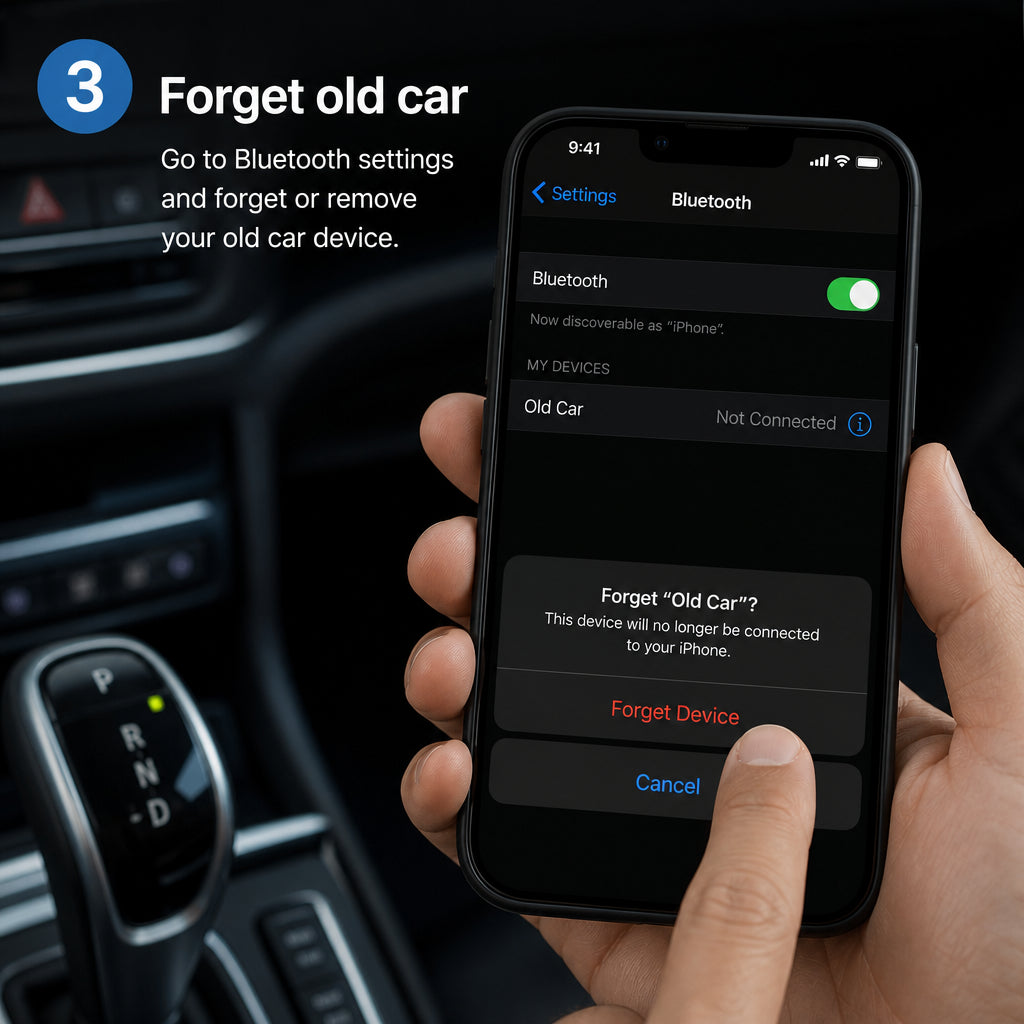
Forget the old Bluetooth connection for previous car/adapters.
-
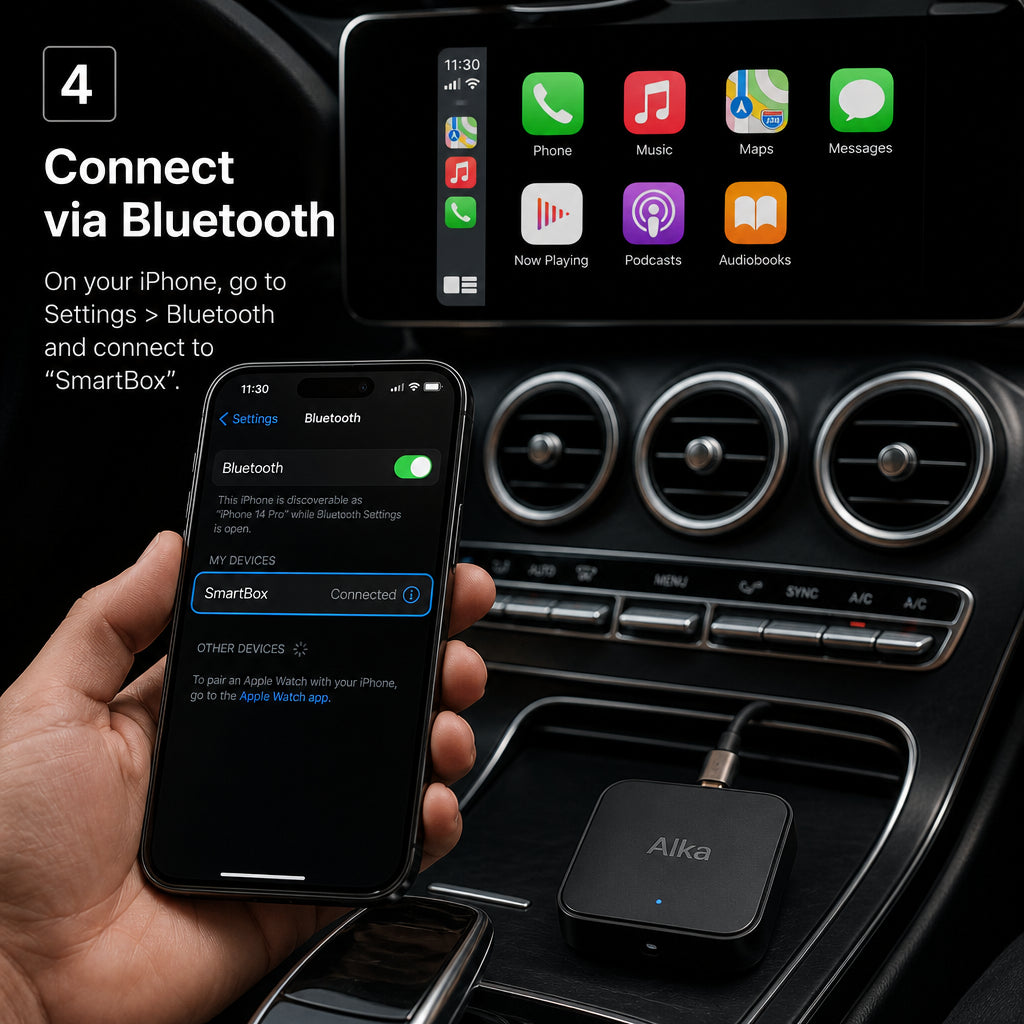
Connect to SmartBox and allow CarPlay / Android Auto.
-
Enjoy wireless maps, calls, and music.

Full guide: Alka Wireless Apple CarPlay how-to · Compatibility · Alka wireless Apple CarPlay
How to use Alka Wireless Apple CarPlay Adapter
Product-specific steps — each Alka product has its own guide.

Connect the device
Plug your Alka Wireless Apple CarPlay adapter (SmartBox) into the car’s OEM USB port used for wired CarPlay or Android Auto — not a charge-only port.

Open Wi‑Fi and Bluetooth
On your iPhone or Android phone, turn on Wi‑Fi and Bluetooth so the Alka SmartBox can pair and create a stable wireless CarPlay / Android Auto link.

Forget the old Bluetooth connection
In phone Bluetooth settings, forget any previous car or adapter Bluetooth entries that conflict. This clears stale pairings before connecting to Alka SmartBox.

Connect to SmartBox
Select SmartBox (Alka adapter) from your Bluetooth / CarPlay prompts and allow permissions. Your car display should launch wireless Apple CarPlay or wireless Android Auto.

Enjoy
Drive with wireless maps, calls, and music — no daily cable. Keep the Alka adapter plugged in for auto reconnect on future trips across Egypt.


Drivers love Alka
Highlights from early customers across Egypt.
Setup took minutes. Wireless CarPlay feels like it came with the car.
Ahmed M.
Premium packaging and clear instructions. Delivery was fast.
Sara K.
Finally no cable mess. Stable connection every drive.
Omar H.